


Website Visitor Alerts - instant EMAIL alerts
A simple and full featured website visitor email alerts and private notification serviceWebsite Visitor Alerts
TraceMyIP provides website visitor alerts for activity recorded on monitored pages. Alerts can be delivered through the visitor tracking console, by email, or both, using visitor IP and tracking data already collected by the service.
Alerts can be used for short-term or ongoing monitoring of tagged visitors, shared IP addresses, or activity associated with a computer ID. If a tagged visitor returns with a different IP address, TraceMyIP can show the IP change along with available location, page, device, and visit information.
Website visitor alerts help TraceMyIP users notice important returning visits, follow expected activity, and review unusual or unwanted access without repeatedly checking reports.

Visitor alerts can be useful for many types of websites, including:
- Personal websites and blogs
- Private content areas where selected visitor activity needs attention
- Personal and business website security monitoring
- Member, customer, or scheduled-access activity monitoring
- Business websites and CMS publishing platforms
- Educational and training sites where authorized activity is monitored
- Non-profit and community scheduled online event monitoring
- Audio and video media distribution websites
- Product marketing and e-commerce websites
- Internal or private portals where tagged visitor activity needs to be reviewed
- Other websites where timely visit notifications are useful
Visitor Alert Features and Setup
Visitor notifications are most useful when they are easy to configure and manage. TraceMyIP keeps the main alert controls in the visitor tracking console so users can create, pause, schedule, and review notifications without changing the tracking code.
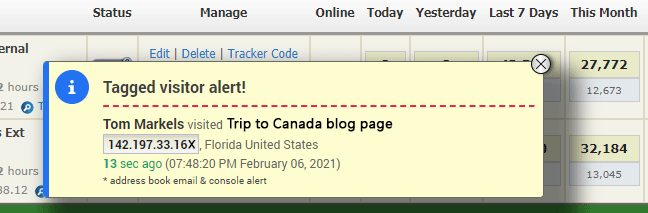
TraceMyIP users can create alerts by tagging specific visitors and their related IP or computer ID. Depending on the selected settings and subscription, notifications can be delivered immediately or on a schedule through console alerts, sound notifications, email, or a combination of these methods.
Email Visitor Alerts
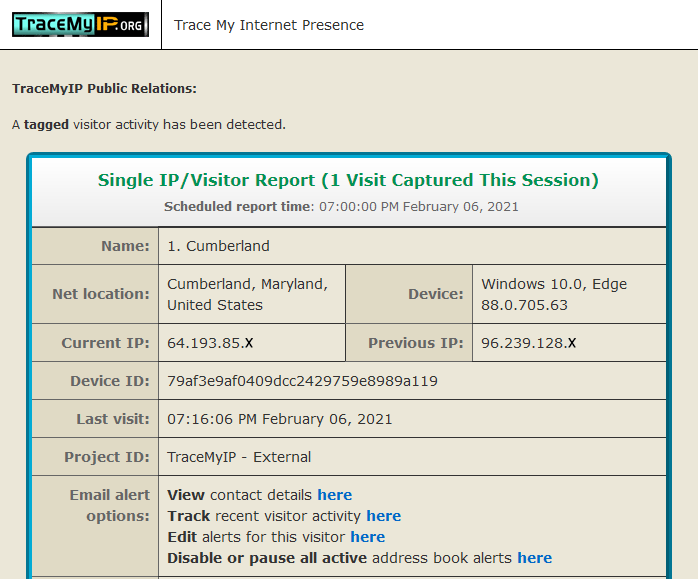
When a tagged visitor is detected, the visit is recorded and the configured alert is processed. Depending on the selected alert method, the user can receive an email notification, a console notification, or both.
An email alert may contain one visit or a grouped summary of multiple visits, including available IP addresses and changes, approximate locations, devices, visit times, and pages viewed. The notification also includes direct links for managing the alert and opening the related visitor activity history.
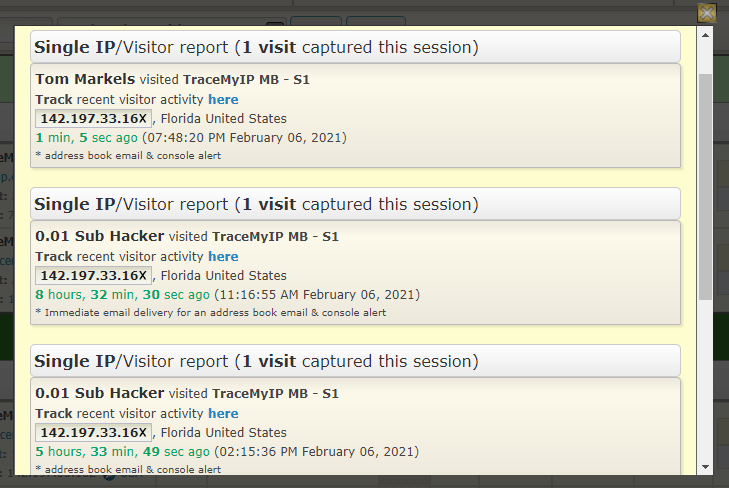
Console Visitor Alerts
In addition to email notifications, visitor alerts can appear in the TraceMyIP interface while a subscriber is logged in to the visitor tracking console. The system checks for new website activity when a report page is loaded or automatically according to the selected scheduled frequency setting.

Console notifications are designed for real-time monitoring of current website activity. Sound notifications can be configured separately for tagged visitor alerts and general visit activity, making it easier to distinguish between the two without constantly watching the screen.
Visitor Alert Configuration
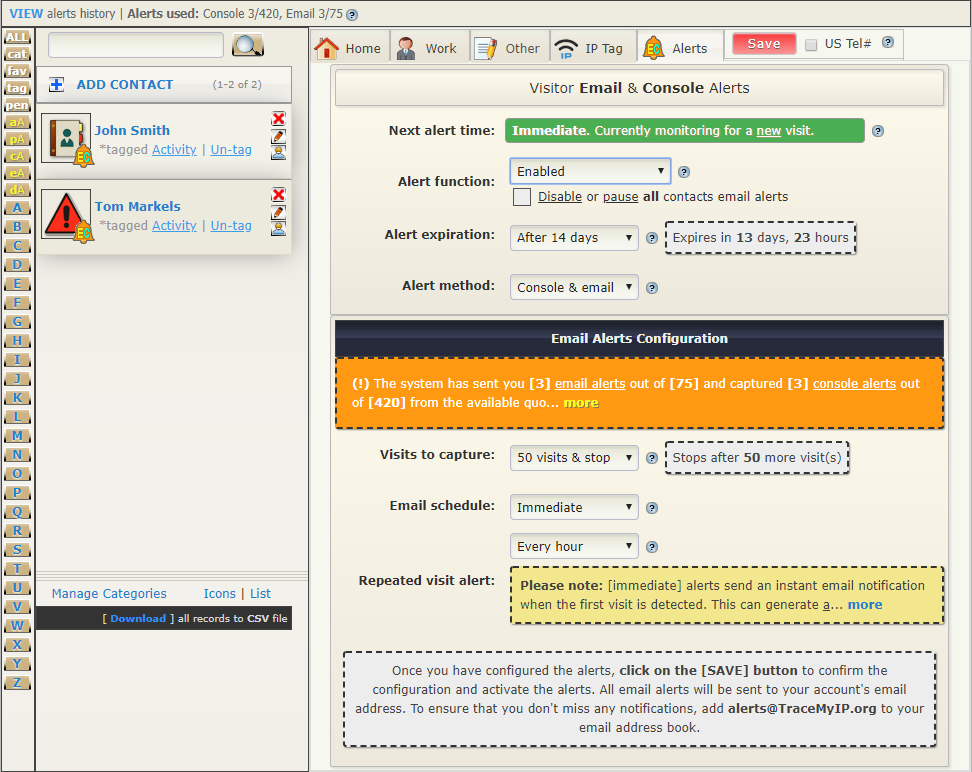
The notification setup starts by creating or selecting a tagged visitor entry. TraceMyIP can associate the visitor's IP information and Computer ID with the alert, helping the user follow returning activity even when the visitor's IP address changes.
The configuration screen shows options such as "Next alert time", "Alert Functions", "Alert Expiration", "Methods", "Visits To Capture", "Email Schedule", and "Repeated Visits Alert".
Visitor Alert Settings
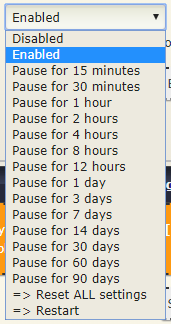
The Alert Function controls whether a notification is enabled, disabled, or temporarily paused.
- A notification can be paused for a period ranging from minutes to days. When the pause expires, notifications resume automatically
- A temporarily suspended notification can also be restarted manually
- The settings can be reset to clear previous alert statistics and configuration
- Each alert keeps its own usage statistics, which can be reset from the primary configuration screen
The Alert Expiration setting controls how long a visitor alert remains active.
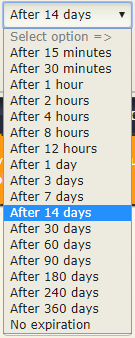
- The expiration period can be set from minutes to days. After it expires, the alert remains suspended until it is manually restarted
- The "No expiration" option keeps the alert active until the user pauses or cancels it, unless another alert setting stops or overrides it
- An expiration setting is required for each individual alert
- Daily expiration occurs at 12:00am (midnight)
- Hourly expiration occurs at the beginning of each new hour
The Alert Method setting selects how notifications are delivered.
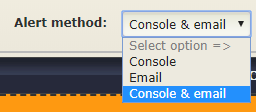
- Console - notifications are delivered through the visitor monitoring console
- Email - notifications are sent by email while console alerts remain inactive. The email alert history can still be opened manually from the console
- Console & email - activates both notification methods. Available quotas depend on the subscription level
The Visits to capture setting limits the number of detected visits that an alert will act on.
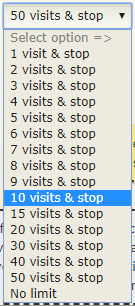
- Setting the limit on a number of visits applies to detected visits, not to the number of email messages sent. Because multiple visits can be grouped into one email, each qualifying return visit counts toward the visit limit.
For example, a visitor may return several times while the alert is configured for one daily email. The resulting notification can contain the visits collected for that alert period. - Setting the option to "No limit" allows visits to continue being captured until another alert duration or expiration setting stops the alert.
The Email schedule setting controls when email notifications are delivered.
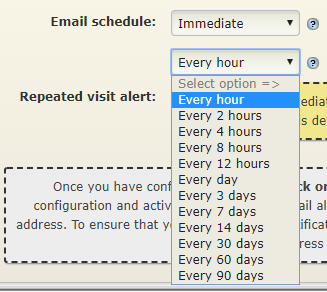
- Immediate alerts - send the initial notification when a qualifying visit is detected, then wait for the configured time period before another alert can be sent for the same visitor.
Note that visits from the same visitor during this waiting period are not recorded by this alert.
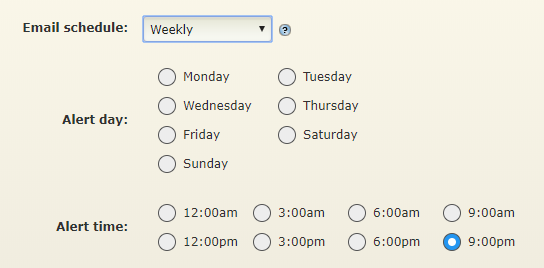
- Weekly alerts can be scheduled for a selected weekday and time.
- When multiple tagged visitors share the same scheduled email time, their alerts can be combined into one email notification. Console alerts can still report qualifying visits separately.
- Daily alerts can be scheduled for the same time each day.
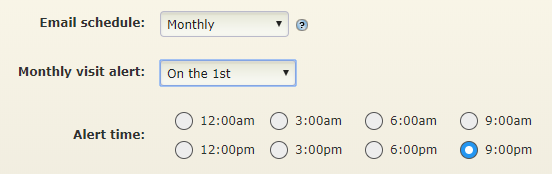
- Monthly alerts can be scheduled for a selected day of the month and time.
- Qualifying alerts for the scheduled period can be combined into a single email.
- The number of combined items is limited to keep scheduled email notifications manageable.
TraceMyIP provides additional options for visitor tracking beyond the settings shown here. Available visitor information is processed as visits are recorded. Visitor alerts can also work alongside Page and Link trackers when you need to review or control access to selected website content.